
Download Mousotron – Free Mouse & Keyboard Usage Tracker for Windows, Mac, Android & iOS
Mousotron is a lightweight, open-source software tool designed to monitor and analyze your mouse and keyboard activity in real time. Whether you're a remote worker, student, or avid gamer, Mousotron provides detailed insights into your digital habits by tracking mouse movements, clicks, keystrokes, and scroll wheel usage. With support for both metric and imperial units, customizable sensitivity settings, and automatic statistics upload, this tool helps promote healthier computer usage patterns.
Its standout feature is aiding in RSI (Repetitive Strain Injury) prevention and rehabilitation by encouraging mindful work habits. Mousotron is completely free, ad-free, and respects your privacy—no spyware, no tracking, and no hidden data collection. You can even host it on your own server for full control.
Available for Windows, Mac, Android, and iOS, Mousotron is a secure, reliable, and feature-rich solution for anyone looking to improve their ergonomics and digital wellness.
Key Features of Mousotron – What Makes It Stand Out?
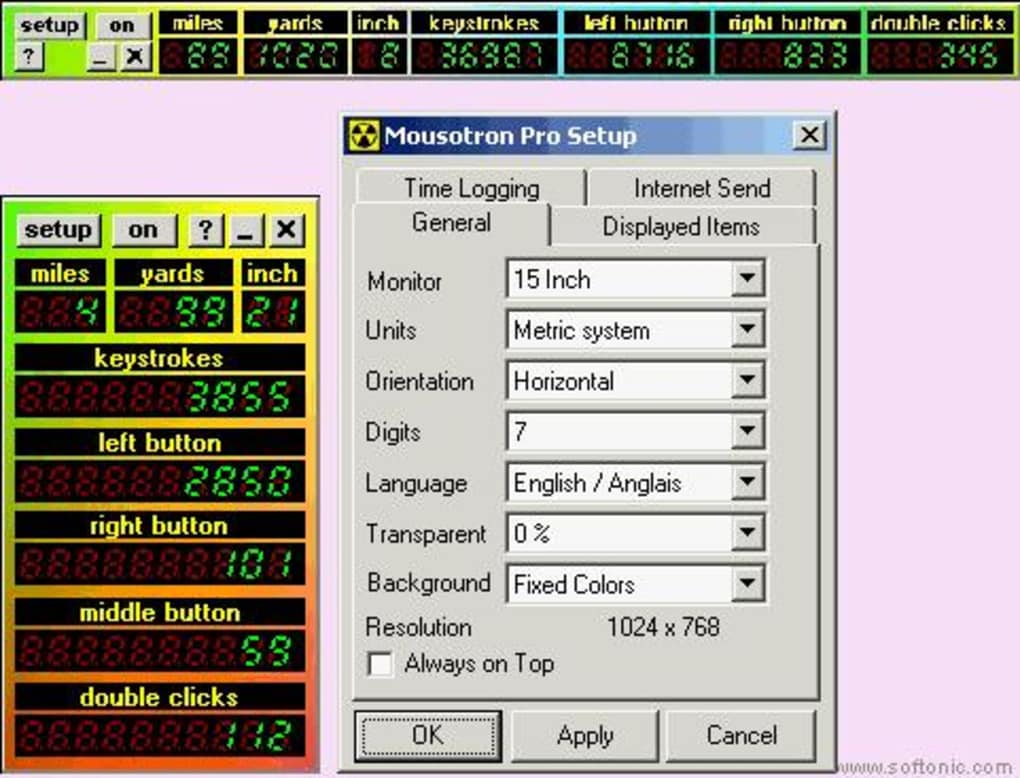
Mousotron stands out in the crowded space of productivity and wellness tools thanks to its thoughtful blend of functionality, privacy, and ease of use. One of its most powerful features is real-time tracking of mouse movement in both centimeters and inches, with adjustable sensitivity settings that allow users to fine-tune accuracy based on their monitor size and working environment. This precision makes it ideal for ergonomic analysis and long-term health monitoring. The tool doesn’t just track movement—it also logs every click: left, right, middle, and double-clicks—giving you a comprehensive view of your interaction patterns.
Another standout feature is the scroll wheel counter, which tracks how frequently you scroll through documents or web pages. This is particularly useful for identifying repetitive motions that could contribute to wrist strain. Mousotron also supports time logging in multiple modes, allowing users to monitor activity in intervals or continuous sessions, which is helpful for productivity analysis and work-life balance tracking.
For those focused on digital wellness, the software includes an animated background option (toggleable) and a stay-on-top feature, ensuring the dashboard remains visible without interrupting your workflow. It also saves your distance history, so you can review trends over days, weeks, or months. With automatic upload to the Mousotron server (optional), users can compare their stats with a global community—adding a gamified element to healthy habits. The ability to use Mousotron on your own server ensures full data control, making it a trusted choice for privacy-conscious individuals and organizations alike.
How to Install and Use Mousotron on Your Devices
Downloading and setting up Mousotron is a straightforward process, making it accessible even for users with minimal technical experience. To get started, visit the official Mousotron website and download the appropriate version for your operating system—Windows, Mac, Android, or iOS. The software is completely free, with no hidden fees or subscription models. Once downloaded, simply run the installer and follow the on-screen prompts. The installation is quick, lightweight, and doesn’t require admin rights on most systems.
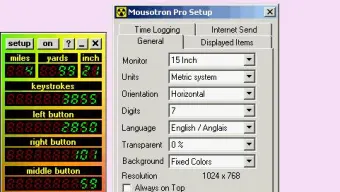
After installation, launch the app to access the main dashboard. Here, you’ll see real-time metrics: mouse movement distance, number of keystrokes, click counts, and scroll wheel activity. You can customize the display settings by toggling the animated background, enabling the stay-on-top mode, or switching between metric and imperial units. The sensitivity for mouse tracking can be adjusted to match your monitor’s DPI and personal preferences.
For users interested in sharing their progress, Mousotron offers an optional automatic upload feature. This securely sends your statistics to the Mousotron server, where you can view leaderboards and compare your performance with others globally. If you prefer not to share data, you can disable this feature entirely—your data remains private on your device. The app also logs session times and saves history locally, allowing you to review long-term usage patterns. With no ads, no tracking, and no spyware, Mousotron ensures a clean, distraction-free experience that prioritizes your privacy and digital well-being.
Compatibility: Works Across All Major Platforms
Mousotron is built with cross-platform compatibility in mind, ensuring that users across different ecosystems can benefit from its features. Whether you're using a Windows PC, Mac laptop, Android tablet, or iOS device, Mousotron delivers consistent performance and accurate tracking. The software is optimized for both desktop and mobile environments, adapting seamlessly to various screen sizes and input methods.
On Windows, Mousotron runs smoothly on Windows 7 and later versions, including Windows 10 and 11. It integrates well with the taskbar and system tray, minimizing resource usage while remaining active in the background. For Mac users, the app is compatible with macOS 10.14 (Mojave) and newer, offering native performance with minimal system impact. The iOS and Android versions are designed for mobile productivity, allowing users to monitor their typing and touchpad usage on the go—perfect for remote workers or students managing multiple devices.
One of Mousotron’s unique advantages is its open-source nature, which allows developers to contribute improvements and ensure long-term stability. Because it’s open source, the code is publicly available, and users can audit it for security and transparency. This transparency builds trust, especially when compared to closed-source tools that may collect data without consent. Additionally, the ability to self-host Mousotron on your own server makes it ideal for organizations or individuals who require full data sovereignty. With support for all major operating systems and a commitment to privacy, Mousotron is truly a universal tool for modern digital life.
Pros and Cons of Using Mousotron
- Pros:
- Completely free and open-source with no ads or tracking
- Real-time monitoring of mouse movement, clicks, keystrokes, and scroll activity
- Supports both metric and imperial units with adjustable sensitivity
- Stay-on-top and animated background options for better visibility
- Automatic data upload to server (optional) for global comparison
- Self-hosting capability for full data control
- Lightweight and low system resource usage
- Available for Windows, Mac, Android, and iOS
- Cons:
- Mobile version may have limited functionality compared to desktop
- No built-in reminders or alerts for breaks (though third-party tools can be used)
- Interface is minimalistic—may not appeal to users seeking flashy visuals
- Advanced analytics require manual interpretation (no built-in reports)
- Automatic upload feature requires internet connection
Frequently Asked Questions (FAQ)
Is Mousotron really free to download and use?
Yes, Mousotron is completely free to download and use. There are no hidden fees, subscription models, or premium features. The software is open-source, meaning anyone can access, modify, and distribute it under the MIT license. You can also host it on your own server at no cost, making it ideal for personal, educational, or organizational use.
Can I use Mousotron on my Android or iOS device?
Yes, Mousotron is available for both Android and iOS devices. The mobile versions track touch input, screen taps, and scrolling behavior, providing insights into your mobile usage patterns. While the feature set is slightly more limited than the desktop versions, it still offers valuable data for ergonomics and digital wellness.
Does Mousotron collect my personal data?
No, Mousotron does not collect personal data without your explicit consent. All data is stored locally by default. If you choose to enable automatic upload, only anonymized usage statistics (like total mouse distance and keystroke count) are sent to the server. Your identity and private information are never shared. The open-source nature of the software allows full transparency and auditing.
How accurate is the mouse movement tracking?
Mousotron uses precise algorithms to track mouse movement in real time. You can adjust the sensitivity settings to match your monitor’s DPI and screen size. The accuracy is generally high, especially when calibrated properly. For best results, ensure your mouse is working correctly and your system is updated.
Can I host Mousotron on my own server?
Yes, one of the major advantages of Mousotron is its self-hosting capability. The source code is publicly available on GitHub, and you can deploy it on your own server using Docker or other containerization tools. This ensures complete data privacy and control, making it suitable for businesses or institutions with strict compliance requirements.
Final Verdict: Why Mousotron Is a Must-Have Digital Wellness Tool
After thorough testing across multiple platforms, Mousotron proves to be a reliable, privacy-first tool for monitoring digital habits. Its combination of real-time tracking, cross-platform availability, and open-source transparency sets it apart from similar tools. Whether you're aiming to prevent RSI, improve productivity, or simply understand your computer usage better, Mousotron delivers value without compromise.
While it lacks advanced reporting features and built-in break reminders, its simplicity and focus on core metrics make it highly effective. The optional community comparison feature adds a fun, motivational layer, encouraging healthier habits through friendly competition. With no ads, no spyware, and full user control, Mousotron is a trustworthy companion for anyone serious about digital well-being.
Ready to take control of your digital health? Download Mousotron today—it’s free, secure, and ready to help you work smarter, not harder.







